
The development of custom software involves creating a tailored application designed specifically to meet your organization's unique operational needs. Unlike off-the-shelf products that offer a generic feature set, a custom solution is a strategic business asset engineered to fit your existing workflows, enhance security, and manage compliance. This approach unlocks significant efficiency gains and builds a lasting competitive advantage by solving problems that generic software cannot address.
For business owners and executives, custom software development transforms technology from a recurring expense into a valuable, long-term asset. It provides complete control over the application's features, scalability, and security posture, ensuring it evolves in lockstep with your business goals. This guide explains the development lifecycle, its tangible business benefits, and how to make a sound investment decision.
Why Custom Software Is a Strategic Business Asset
Many leaders view software as a cost center, but the development of custom software fundamentally changes this perspective. It is an investment in creating a proprietary tool that directly supports your operational strategy and becomes a valuable piece of intellectual property.
Think of it as the difference between renting a generic office space and constructing a purpose-built facility. While both provide a place to work, only the custom-built option is optimized to maximize productivity, streamline logistics, and adapt to future growth. This distinction is critical for businesses with specific compliance, security, or workflow requirements that off-the-shelf solutions cannot meet without costly, inefficient workarounds.
The Core Difference From Off-the-Shelf Products
Off-the-shelf software is designed for a mass market, bundling a broad set of features that may not align with your specific business processes. Custom software is built with a single purpose: to solve your business challenges in the most direct and efficient manner.
This purpose-built approach delivers several key advantages:
- Process Optimization: It automates your unique internal workflows, reducing manual effort and minimizing the risk of human error in critical operations.
- Enhanced Security: Security and compliance protocols are integrated into the software's core architecture, not added as an afterthought. This is non-negotiable for organizations in regulated industries like finance, healthcare, or legal services.
- Scalability and Control: The solution expands as your business grows. You control the development roadmap and can add features based on your strategic priorities, rather than waiting for a third-party vendor's update cycle.
- Intellectual Property: You own the final product. Your investment becomes a tangible company asset that increases in value as it is refined and adapted over time.
Understanding the clear distinctions in the custom software vs off-the-shelf solutions debate is crucial. The decision impacts everything from initial budget and project timelines to your long-term operational flexibility and market positioning. Choosing to build a custom solution is a strategic move that creates technology to support current operations while building a resilient foundation for future innovation.
Understanding the Custom Software Development Lifecycle
Transforming a business requirement into a functional, reliable software application is a structured, multi-phase process. Known as the Software Development Lifecycle (SDLC), this framework is a roadmap designed to minimize risk, ensure quality, and keep the project aligned with your business objectives. It converts a potentially complex undertaking into a series of predictable, manageable stages.
Each phase has a distinct purpose, from initial strategy sessions to long-term maintenance. This structured approach ensures every decision is deliberate and contributes to the final product's success. For business leaders, understanding the SDLC demystifies the process, clarifies your role as a key stakeholder, and provides the confidence to engage effectively with your development partner.
The diagram below illustrates how custom software development transforms an operational problem into a value-generating business asset.
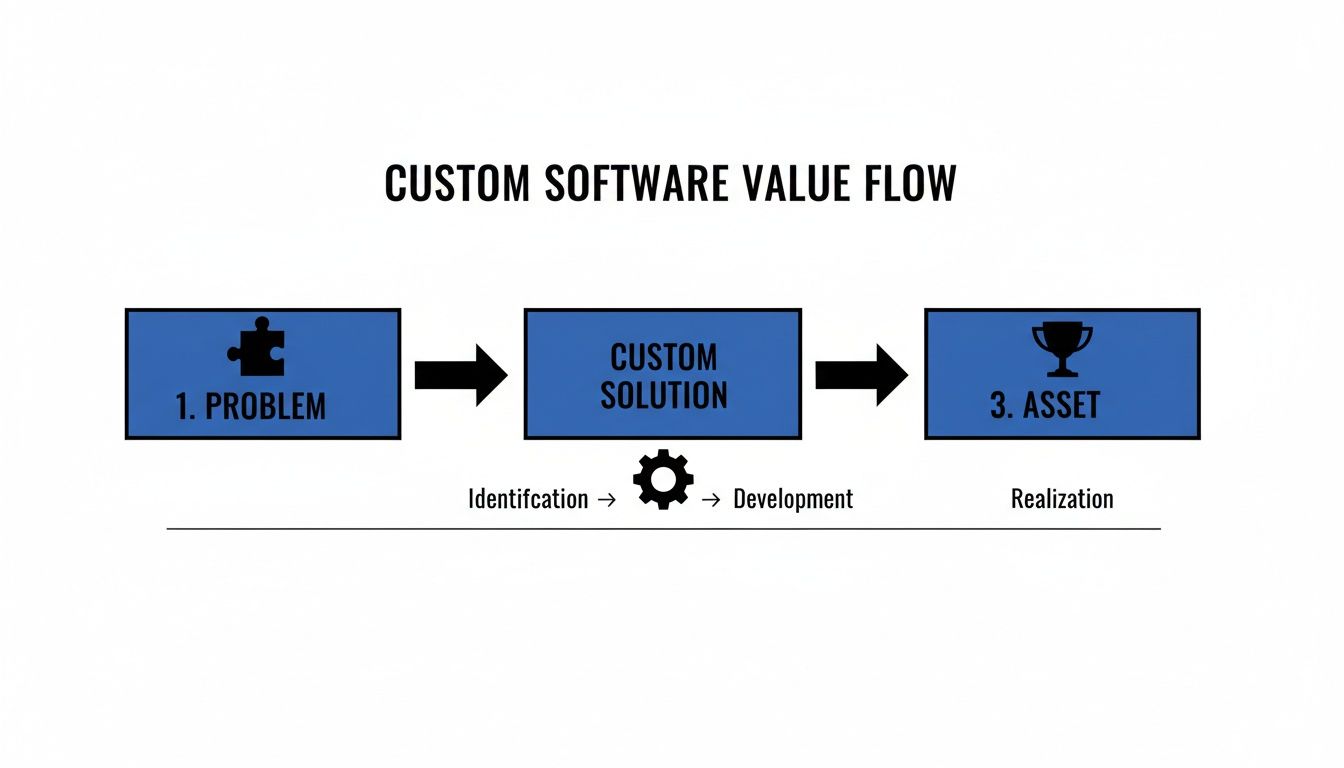
A successful project begins with a deep understanding of an operational challenge, which guides the creation of a purpose-built solution that ultimately becomes a strategic company asset.
Stage 1: Discovery and Strategy
The most critical work occurs before a single line of code is written. The Discovery and Strategy stage translates your business goals into a technical blueprint. It involves in-depth analysis to define the exact problem, identify the workflows to be streamlined, and establish measurable success criteria.
During this stage, your development partner will work with you to:
- Define Project Scope: Clearly outline what the software will and will not do to prevent "scope creep," a primary cause of budget and timeline overruns.
- Identify Stakeholders: Determine who will use the software and whose input is vital to its success, mapping out all user roles from the start.
- Assess Technical Feasibility: Evaluate existing systems, potential integrations (such as with Microsoft 365 or SharePoint), and any compliance or security constraints.
- Create a High-Level Roadmap: Establish initial cost estimates, project timelines, and key milestones to track progress.
This foundational work ensures the project is built on a solid understanding of its business purpose, dramatically reducing the risk of developing a solution that fails to solve the right problem.
Stage 2: Design and Prototyping
With a clear strategy in place, the project moves into the Design and Prototyping phase. Here, abstract ideas are given visual form, with a focus on user experience (UX) and user interface (UI) to ensure the final product is intuitive, efficient, and easily adopted by your team.
This stage is about more than aesthetics; it’s about mapping out workflow logic. A well-designed prototype allows you to test the application's flow and identify potential usability issues before significant development investment is made.
Designers create wireframes (basic structural layouts) and mockups (detailed visual designs) that serve as a guide for the development team. Interactive prototypes are often built, allowing stakeholders to click through the application and experience its functionality firsthand. This iterative process ensures the final design is both practical and aligned with user expectations. A smooth user adoption is critical; insights into establishing a successful change management process can provide valuable guidance.
Stage 3: Development and Implementation
This is the "build" phase, where developers take the approved designs and write the code that brings the application to life. The engineering team focuses on constructing clean, secure, and maintainable software designed for longevity.
Development is typically broken into manageable cycles called "sprints." At the end of each sprint, a new piece of working software is delivered for review. This agile methodology allows for regular feedback and makes it easier to adapt to changing requirements without derailing the entire project.
Stage 4: Testing and Quality Assurance
Before deployment, the software undergoes rigorous Testing and Quality Assurance (QA). This non-negotiable phase is dedicated to mitigating operational risk by identifying and resolving bugs, security vulnerabilities, and performance issues.
Testers perform a comprehensive battery of checks, including:
- Functional Testing: Verifying that every feature works exactly as specified.
- Performance Testing: Ensuring the software can handle the expected user load without degradation.
- Security Testing: Identifying weaknesses that could expose sensitive data.
- Usability Testing: Confirming the software is intuitive for its intended users.
A thorough QA process ensures the application is reliable, secure, and ready for a smooth launch. To optimize the creation process, adhering to SDLC Best Practices is fundamental for high-performing teams.
Stage 5: Deployment and Maintenance
Once the software passes all tests, it is ready for Deployment. This involves moving the application from the development environment to a live server where your team can begin using it. The process is carefully managed to minimize disruption to your business operations.
The journey does not end at launch. Ongoing Maintenance and Support are crucial for the software's long-term health. This includes performance monitoring, applying security patches, fixing any newly discovered bugs, and planning future updates to ensure the application continues to evolve with your business needs.
The Tangible Business Benefits of Custom Solutions
Investing in custom software is more than a technical upgrade; it's a strategic decision focused on delivering measurable business outcomes. A tailored solution directly impacts your bottom line, strengthens operational resilience, and secures your long-term market position.
The most immediate benefit is a significant improvement in operational efficiency. Custom software automates unique and often complex internal workflows, reducing the time your team spends on repetitive manual tasks. This not only frees them for higher-value work but also minimizes the risk of costly human errors in critical processes.
Gaining a Sustainable Competitive Advantage
Custom software can create a powerful competitive moat around your business. It enables you to offer services or execute internal processes that competitors using off-the-shelf tools cannot replicate. This unique capability can become a core differentiator.
Furthermore, owning the software's intellectual property converts a technology expense into a valuable company asset. Unlike a recurring subscription fee, your investment builds equity. This asset grows in value as it adapts to new business challenges and can increase your company's valuation.
The real power of custom software lies in its ability to perfectly align technology with your specific business strategy. It's not about fitting your operations into a pre-built box; it's about building the box to fit your operations perfectly.
Embedding Security and Compliance from the Start
For businesses in regulated sectors such as law, healthcare, or finance, security and compliance are paramount. With custom software, these critical requirements are not add-ons; they are integrated into the software's foundation from day one.
This integrated approach provides far greater protection than generic solutions, which often require cumbersome, bolt-on security fixes. By designing for compliance from the outset, you dramatically reduce the risk of data breaches, regulatory fines, and reputational damage. This is particularly important for organizations managing sensitive client data within systems like Microsoft 365 and SharePoint. You can learn more about how tailored IT solutions drive operational excellence in our detailed guide.
Driving Tangible ROI Through Strategic Investment
The demand for Canadian-built custom software is rising, driven by data sovereignty and compliance requirements. Local development ensures your project falls under Canadian legal jurisdiction, a critical factor for law firms and other regulated industries concerned about foreign data access. Even with modest IT budget increases, organizations are focusing on efficient projects with Canadian vendors that provide a clear return.
For example, one recent project with an initial build cost of $280,000 generated a first-year ROI of $737,500 from reduced client churn, increased sales, and significant productivity gains. When dealing with compliance-heavy operations, the flexibility, IP protection, and scalability of custom software make it a strategic necessity.
Ultimately, custom software is about achieving key business outcomes:
- Reduced Operational Costs: Automation and optimized workflows lead to lower labor costs and fewer expensive errors.
- Increased Revenue Opportunities: Unique features can unlock new services and improve customer retention.
- Enhanced Business Agility: The software evolves with your business, allowing you to adapt to market changes quickly.
- Strengthened Security Posture: Built-in compliance and security measures protect sensitive data and reduce risk.
Navigating Project Costs, Timelines, and ROI
For any business leader, three questions drive technology investment decisions: How much will it cost? How long will it take? What is the return?
Establishing a realistic financial outlook for custom software development is critical. Costs, timelines, and your return on investment are the direct result of your project's scope, complexity, and strategic goals. To understand these financial dimensions, you must be clear about the factors that shape them. A simple internal tool to automate a single workflow will have a vastly different budget and schedule than an enterprise-level platform requiring integration with multiple legacy systems and adherence to strict regulatory standards.
Deconstructing Project Costs
The final cost of a custom software project is determined by several core variables. Each adds a layer of complexity that demands specialized expertise and additional development hours, directly impacting the budget.
Key cost drivers include:
- Project Scope and Complexity: The number of features, user roles, and business rules the software must handle is the largest factor.
- System Integrations: Connecting the new software to existing systems—such as your CRM, accounting software, or Microsoft 365—is a significant development effort.
- Data Migration: Securely and accurately moving data from legacy systems into the new application is often a complex sub-project.
- Compliance and Security: Building software that adheres to standards like PHIPA or PCI DSS requires specialized knowledge and rigorous testing, adding to the cost.
Setting Realistic Budget Expectations in Canada
While a single price tag for custom software is impossible, we can establish realistic benchmarks for Canadian businesses.
Custom software development costs in Canada vary widely. A mid-scale project for a small or medium-sized business typically ranges from CAD $25,000 to $50,000. More complex, enterprise-level systems that require extensive compliance and integrations can easily exceed CAD $400,000. A Minimum Viable Product (MVP) is a cost-effective way to start if your goal is to validate an idea. These factors are crucial for scaling IT for business growth, as a well-planned budget prevents major roadblocks.
These figures are driven by the project's scale and the level of expertise required. Costs are naturally higher in regulated sectors due to stringent data handling and security requirements. Incentives like Canada's Scientific Research and Experimental Development (SR&ED) tax credit can provide significant financial relief, refunding up to 35% on qualified R&D expenses. You can discover more insights about software development costs in Canada from Zealousys.
Timelines and Calculating Return on Investment
Like costs, project timelines are directly tied to complexity. A focused, single-purpose application might take 3–6 months, while a large-scale enterprise system could extend to 12–18 months or longer. A phased approach, where features are rolled out in stages, is a common strategy to manage both timelines and risk, allowing the business to realize value sooner.
The most important metric is Return on Investment (ROI). This calculation goes beyond the initial build cost to quantify the software's long-term business impact.
Calculating ROI is not just about cost savings. It’s about measuring the total value created, including new revenue streams, reduced operational risk, and increased capacity for growth.
To build a strong ROI case, quantify the benefits in these key areas:
- Increased Productivity: Calculate the value of hours saved per employee through automation.
- Reduced Licensing Fees: Sum the annual costs of legacy systems the new software will replace.
- New Revenue Streams: Estimate income from new services or products enabled by the custom application.
- Error Reduction: Quantify the cost of mistakes from manual processes that will now be automated.
Framing the investment in these terms shifts the conversation from a one-time expense to a continuous, value-generating asset that strengthens the entire operation.
How to Choose the Right Development Partner
Selecting a technology partner is arguably the most critical decision in your custom software journey. The right firm acts as a strategic advisor, translating your business goals into a robust, secure technical solution. The wrong choice can lead to budget overruns, missed deadlines, and a final product that fails to solve the core business problem.
Your evaluation must extend beyond technical skills. A valuable partner understands your industry, particularly if you operate in a regulated field like law, healthcare, or finance. They must speak your language and have a proven track record of navigating the specific compliance and security challenges relevant to your sector.

Evaluating Potential Partners
When engaging with development firms, focus the conversation on their process and partnership philosophy. A reliable partner will articulate a clear methodology for managing projects, communicating progress, and handling unforeseen challenges.
Pay close attention to the emphasis placed on the discovery phase. A firm eager to start coding before thoroughly understanding your operational workflows and business objectives is a significant red flag. This initial strategic work anchors the project to real business outcomes and mitigates risk.
The ultimate measure of a development partner isn't their ability to write code; it's their ability to understand your business and deliver a solution that generates measurable value. They should feel like an extension of your leadership team.
The market for specialized development is growing rapidly. In Canada, the custom software market is projected to grow at a compound annual rate of 22.1% through 2030, driven by businesses needing to meet strict regulations like PHIPA and PCI DSS, particularly those using Microsoft 365 and SharePoint for secure, compliant workflows. With projects costing anywhere from CAD $55,000 to over $550,000, choosing the right partner is essential. You can read the full analysis on software development costs in Canada to better understand these market dynamics.
Critical Questions to Ask
Use this checklist to guide your conversations when vetting potential partners. The quality of their answers will reveal their experience, transparency, and strategic mindset.
- Industry Experience: Can you provide case studies or references from clients in our industry (e.g., legal, healthcare)? How do you stay current with our industry's specific compliance requirements?
- Development Process: What is your development methodology (e.g., Agile, Scrum)? How do you manage project scope and prevent scope creep?
- Communication and Transparency: Who will be our primary point of contact? How frequently will we receive status updates and progress reports?
- Technical Integration: What is your experience integrating custom applications with existing platforms like Microsoft 365 and SharePoint?
- Long-Term Support: What does your post-launch support and maintenance model include? How do you handle bug fixes, security patches, and future feature requests?
- Ownership and IP: Who owns the intellectual property and source code upon project completion?
Finding a team that provides clear, confident answers to these questions is paramount. You are not just hiring a vendor; you are investing in a long-term relationship with a partner who will help you build a foundational asset for your business.
Your Next Steps: A Practical Checklist for Leaders
Moving from idea to project requires preparatory work. Before engaging a development partner, it is wise to establish internal alignment and build a clear business case. This preparation ensures your initial conversations are productive, focused on defined goals and tangible value.
This checklist is designed to guide leaders through that internal preparation, ensuring the project starts on a solid foundation.
Internal Evaluation Checklist
Completing these steps will equip you for a focused, productive first discussion with a potential technology partner.
-
Define the Core Business Problem: Be specific. What is the exact operational challenge you need to solve? Is it a manual process consuming valuable hours? A compliance risk? Or two critical systems that fail to communicate? Pinpoint the source of the pain.
-
Identify Key Stakeholders: List everyone who will be impacted by the new software. This includes not only executive sponsors but also frontline staff who will use it daily and the managers who will oversee its implementation. Early input is crucial for user adoption.
-
Outline High-Level Functional Needs: Document what the software must do to solve the identified problem. Focus on outcomes, not technical details. For example: “The system must generate a compliant client report in under 60 seconds.”
-
Assess Your Existing Technology Ecosystem: Identify which other systems the new software must integrate with. Take inventory of your current tech stack, including core platforms like Microsoft 365 and SharePoint, which often serve as operational hubs.
-
Prepare an Initial Budget Range: You do not need an exact figure, but a realistic range is necessary. Use the cost benchmarks discussed earlier to set financial guardrails. This step helps filter potential partners and keeps early discussions grounded.
A thoughtful internal assessment is the most effective way to mitigate project risk. It transforms a vague idea into a defined business initiative, ensuring that technology investments are directly tied to strategic goals.
With this preparation complete, you are no longer just considering custom software—you are actively planning for it. You have a clear problem statement, a list of desired outcomes, and a sensible financial framework.
The logical next step is to validate your plan with an expert. A consultation can help refine your requirements, identify potential technical roadblocks, and begin shaping a formal technology roadmap. If your organization requires high-level strategic guidance, exploring managed IT services can provide the expert oversight needed to ensure your project aligns with your long-term business goals.
Frequently Asked Questions
When considering custom software, several practical questions commonly arise. Here are answers to some of the most frequent inquiries from business leaders.
How Is Custom Software Different From Configuring SharePoint?
Configuring SharePoint is like renovating an existing structure. You can customize layouts, build workflows, and manage documents within the platform's established framework. It is an excellent tool for collaboration and document management, but you are ultimately working within its inherent limitations.
Custom software development is like designing and constructing a new building from the ground up. The new application can integrate with your existing systems (like SharePoint), but it is not constrained by them. You build a custom solution when you need functionality that SharePoint cannot provide, such as a specialized client intake portal or a complex case management system with unique business logic.
What Are the Biggest Risks in a Custom Software Project?
The most significant risks are typically related to business alignment and communication, not technology.
The number one risk is a disconnect between the business goal and the final product. This often occurs when requirements are poorly defined at the outset or when communication with the development partner falters, resulting in a tool that fails to solve the intended problem.
Other common risks include:
- Scope Creep: Allowing new feature requests to accumulate without adjusting the budget or timeline.
- Poor User Adoption: Building a technically sound tool that users find difficult or inefficient to use.
- Budget Overruns: Often a symptom of unforeseen technical challenges or unmanaged scope.
A proficient development partner anticipates these risks by insisting on a thorough discovery phase, maintaining transparent communication, and managing the project with clear controls.
Can a Project Be Built in Phases to Manage Cost and Risk?
Yes, and this is the recommended approach for modern software development. Attempting to build a large, monolithic application in a single phase is high-risk. Instead, projects should be broken into smaller, manageable stages.
This often begins with a Minimum Viable Product (MVP)—a version of the software with only the essential core features. An MVP gets a working tool into users' hands quickly, allowing for feedback based on real-world application. Subsequent phases build upon this foundation, adding more advanced features based on user input and evolving business priorities. This iterative approach reduces risk, delivers value sooner, and ensures development efforts are focused on features that matter.
How Do I Ensure the Software Can Adapt As My Business Grows?
Scalability must be a core design principle from the project's inception. A forward-thinking development partner will design the software's architecture to accommodate future growth in users, data volume, and functionality.
This is achieved through strategic technology choices, such as using modern cloud infrastructure and a modular application design. A modular approach allows new features to be added or existing ones modified without requiring a complete system overhaul. This ensures your software remains a flexible, valuable asset that can evolve alongside your business.
At Tricord I.T Solutions, we build secure, scalable software solutions that align with your business objectives. If you are ready to turn your operational challenges into a competitive advantage, let's schedule a consultation to discuss your technology roadmap.