

Managed IT services for a small business means outsourcing your technology management to a third-party expert for a predictable monthly fee. This partnership replaces the reactive, "break-fix" model—where you call for help only when something breaks—with a proactive approach focused on preventing problems, enhancing security, and ensuring operational stability. The primary goal is to transform your technology from a source of unpredictable costs and disruptions into a reliable asset that supports business growth.
This guide explains what managed IT services include, how pricing works, and the strategic benefits for a small business. We will cover how to evaluate providers and what you can expect from a true IT partnership.
The Strategic Shift to Proactive IT Management
Many small businesses treat IT as an afterthought, waiting for a server crash, email outage, or cyber threat before seeking help. This "break-fix" approach is not only stressful but also financially unpredictable. It leads to operational downtime, lost productivity, and potential data loss—all of which directly impact your bottom line.
Managed IT services reverse this model. Instead of reacting to problems, a managed services provider (MSP) works continuously to prevent them. This proactive management ensures your systems are secure, updated, and optimized, minimizing the risk of failure.
Think of it as having a property manager for your digital infrastructure. A single, trusted partner maintains everything from network security to employee devices, ensuring it all works reliably. This simplifies operations and significantly reduces business risk.
From Unpredictable Costs to a Fixed Budget
Managing unpredictable expenses is a major challenge for any small business. An unexpected server failure or security incident can result in a massive, unbudgeted repair bill that disrupts financial planning.
A managed IT service model provides a consistent, fixed monthly fee. This predictable cost covers everything from daily support and system monitoring to strategic guidance. Knowing your exact IT expenditure each month allows for accurate budgeting and frees up capital for growth-oriented investments.
Moving Beyond Simple Repairs
The true value of managed IT extends far beyond routine maintenance. An effective IT partner focuses on aligning technology with your business objectives. This proactive relationship delivers several key advantages:
- Access to Expertise: You gain a team of specialists in cybersecurity, cloud computing, and network management—skills that would be prohibitively expensive to hire individually.
- Reduced Downtime: Continuous monitoring and proactive maintenance identify and resolve potential issues before they can disrupt your operations.
- Enhanced Security: Your provider implements and manages layered security protocols to protect your sensitive data from evolving threats, improving business resilience.
Ultimately, this partnership allows your team to focus on core business functions. With a stable and secure technology foundation, you can pursue growth with confidence.
What's Included in a Managed IT Plan?
Understanding the components of a managed IT plan reveals its true value. It is a comprehensive partnership designed to keep your operations stable, secure, and efficient, allowing you to focus on your business instead of your technology.
Each element of the plan works in concert to build a reliable technology foundation. The provider handles everything from minor daily issues that hinder productivity to major security risks that could threaten your business. The objective is to make your technology an asset, not a liability.
This diagram illustrates how a managed IT partner delivers three key outcomes: stability, security, and growth.
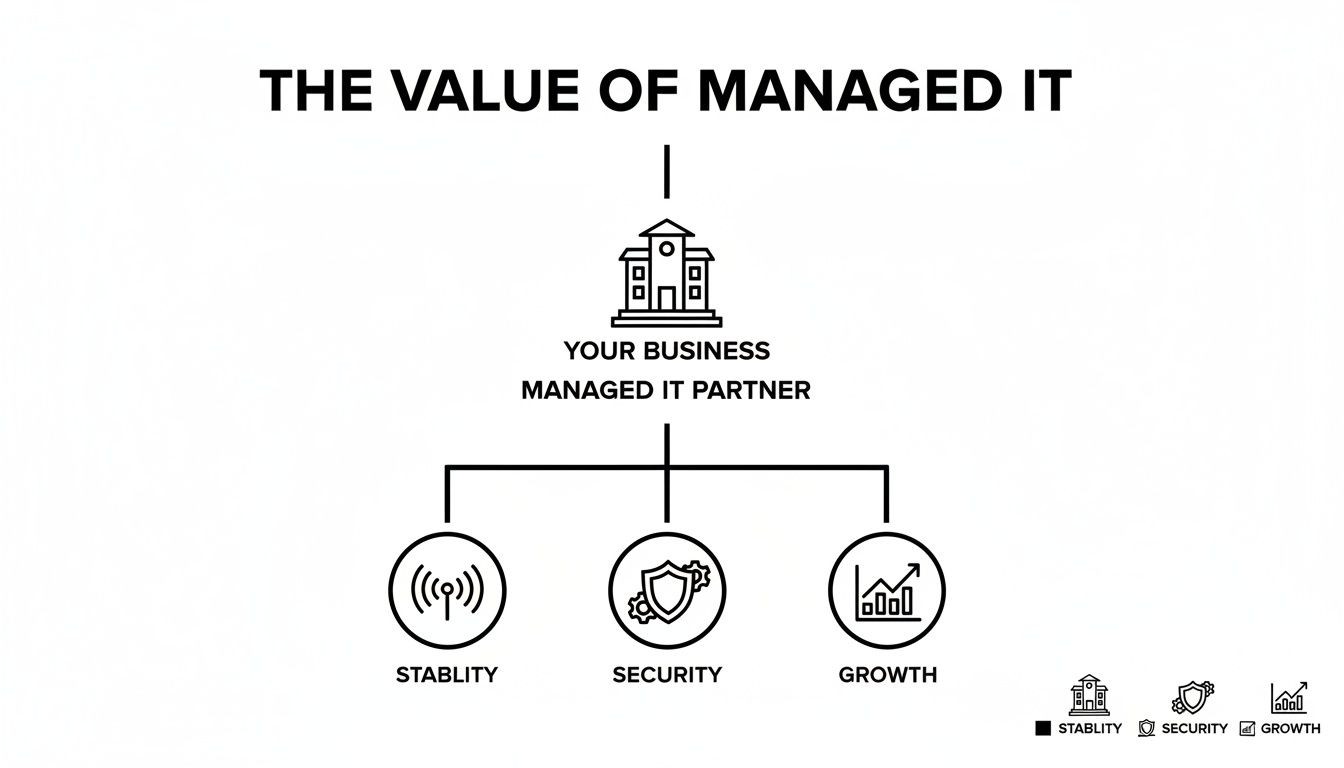
This approach is not just about fixing broken systems; it is about building the operational resilience your business needs to scale effectively.
Proactive IT Support and Helpdesk
The most immediate benefit is access to a professional helpdesk. This is your team's direct line to experts who can resolve daily technical issues—software glitches, password resets, or connectivity problems—that interrupt workflow.
Unlike the break-fix model where you wait for a technician, a managed helpdesk provides prompt remote support. The focus is on resolving issues quickly to reduce employee downtime and frustration, ensuring minor problems do not escalate into major disruptions.
Network and Infrastructure Management
Your network is the digital backbone of your business, connecting your employees, devices, and critical data. Managed infrastructure services ensure this foundation is stable, secure, and performs optimally.
This includes several key activities:
- 24/7 Monitoring: Your provider constantly watches servers, routers, and Wi-Fi to identify potential issues before they impact your business.
- Patch Management: All software and systems are kept current with the latest security patches to close known vulnerabilities that attackers could exploit.
- Performance Optimization: Your network is configured for speed and reliability, preventing bottlenecks that slow down your team.
A well-managed infrastructure should be invisible—it simply works. The goal is an environment where your team can use their tools effectively without thinking about the technology behind them.
Cybersecurity and Threat Protection
For any small business, the threat of a cyberattack is significant. Managed IT services implement essential layers of defense to protect sensitive data from a wide range of threats. A single breach can cause severe financial and reputational damage, making robust security a non-negotiable component of the service.
A strong security posture includes:
- Firewall Management: Establishing and maintaining a secure perimeter to block unauthorized external access.
- Antivirus and Anti-Malware: Deploying and managing software on all devices to detect and stop malicious code.
- Email Security: Filtering phishing scams, spam, and other email-based threats before they reach employee inboxes.
These measures are part of a broader security strategy. To better protect your organization, explore our guide to cybersecurity for small businesses, which details additional defensive tactics.
Cloud Services and Microsoft 365 Optimization
Many small businesses rely on cloud platforms like Microsoft 365 but fail to leverage their full potential. A managed IT partner helps optimize these tools, ensuring they are configured securely and aligned with your team's workflow.
This can include managing user accounts, configuring SharePoint for efficient document collaboration, or setting up Microsoft Teams to improve communication. Proper management maximizes the return on your subscription investment and transforms these platforms into strategic assets.
Business Continuity and Disaster Recovery
How would your business operate if a fire, flood, or major cyberattack destroyed your critical data? A business continuity and disaster recovery (BCDR) plan is your safeguard against unexpected events.
Your managed services provider will implement a reliable data backup solution, creating secure copies of your essential information. They will also develop a clear recovery plan to restore operations as quickly as possible following a disaster, minimizing costly downtime and ensuring business resilience.
How Managed IT Services Pricing Works for Small Businesses
For a small business, budget predictability is essential. Understanding the costs associated with managed IT services is a critical step, and modern pricing models are designed for clarity and simplicity.
The most common structure for a managed IT services small business plan is a per-user, per-month model. This approach establishes a fixed, predictable fee based on the number of employees using the service. This removes the guesswork from IT spending and allows you to budget with confidence. As your team grows, your IT costs scale proportionally, with no surprises.

Key Factors That Influence Your Monthly Cost
While the per-user model is straightforward, the exact price is influenced by factors unique to your business. A reputable provider will assess these elements to create a plan that aligns with your operations and risk profile.
These factors typically include:
- Number of Employees and Devices: This is the foundation of the pricing model, setting the baseline for the required level of support.
- Compliance and Regulatory Needs: Businesses in regulated industries like healthcare (HIPAA) or finance (FINRA) require advanced security and reporting, which can affect the cost.
- Complexity of Your Technology: A business with complex server infrastructure or specialized software will require more intensive management than one operating entirely in the cloud.
- Required Service Level: The scope of support needed, such as 24/7 coverage versus standard business hours, will also influence the final price.
You can generally expect managed IT services pricing to range from $110 to $400 per user per month. Your specific cost will depend on your business environment, risk profile, and any compliance obligations. This model provides predictable monthly costs, making budgeting far simpler than dealing with unexpected IT repair bills. You can explore more about managed services pricing trends to gain further market insight.
The True Cost of Alternative IT Models
To fully appreciate the value of a fixed monthly fee, it is important to compare it to other IT management approaches. Alternative models often involve hidden or unpredictable expenses that can negatively impact your bottom line.
A fixed IT budget is not just about controlling expenses; it is a strategic tool that enables you to invest in growth without the fear of unexpected technology costs derailing your plans.
Let's examine the financial realities of two common models:
The Break-Fix Model
This reactive model appears cheaper because you only pay when something breaks. However, the costs are unpredictable and can be substantial. An emergency server failure or a ransomware attack can lead to large, unbudgeted bills for urgent repairs. More importantly, every minute of downtime results in lost revenue and productivity—a hidden cost that often exceeds the repair bill itself.
The In-House IT Model
Hiring an internal IT employee or team involves more than just a salary. You must also account for benefits, payroll taxes, training, vacation time, and the cost of specialized tools and software. For most small businesses, the total expense of a qualified in-house team is significantly higher than the predictable fee for an outsourced partner that provides a broader range of expertise.
Strategic Business Advantages Beyond Cost Savings
While predictable costs are a significant benefit, the true value of managed IT services lies in their strategic impact. The most important advantages help transform your small business into a more competitive, resilient, and efficient operation.
By outsourcing technology management, you free up your team to focus on their primary responsibilities. IT ceases to be a source of friction and becomes a catalyst for business growth. This strategic shift is reflected in market trends, with the global managed services market projected to grow significantly, underscoring its central role in modern business strategy.
Enhanced Security and Compliance Posture
For most small businesses, keeping pace with cybersecurity threats and complex regulations is a daunting task. A single data breach or compliance failure can result in substantial fines, reputational damage, and lost client trust.
A managed IT provider offers specialized expertise, building and managing the security protocols necessary to protect your business. This includes everything from advanced threat detection to ensuring your data handling practices meet strict industry standards like HIPAA or FINRA. It also enables small businesses to develop a proactive cyber risk strategy and governance framework instead of merely reacting to threats.
Improved Operational Efficiency and Focus
Every minute your team spends dealing with technology issues is a minute not spent on revenue-generating activities. Slow systems, frequent interruptions, and unexpected downtime reduce productivity and morale. Managed IT addresses this with proactive maintenance designed to identify and resolve issues before they disrupt your workday.
This approach delivers two key benefits:
- Minimized Downtime: Continuous monitoring and preventative care ensure system stability, dramatically reducing the risk of outages.
- Increased Employee Productivity: Your team has access to a dedicated helpdesk for rapid problem resolution, allowing them to remain focused on their core responsibilities.
Access to Strategic Technology Guidance
As a business owner, you are an expert in your field, not necessarily in technology. A major advantage of a managed services partner is access to a Virtual Chief Information Officer (vCIO). This strategic advisor helps you align technology investments with your long-term business goals.
A vCIO acts as your technology strategist, helping you build a clear roadmap that supports growth, manages risk, and maximizes the return on your IT spending.
This guidance is invaluable when selecting new software, migrating to the cloud, or upgrading infrastructure. It helps prevent costly mistakes and ensures your technology can support your business as it evolves. To build a more resilient operation, you may also find our guide on what business continuity planning is helpful.
Seamless Scalability and Business Agility
As your business grows, your technology must grow with it. Hiring new staff, opening another office, or adopting new tools can strain a fixed, in-house IT setup, often resulting in slow and expensive upgrades.
A managed IT partner offers the flexibility to scale your services up or down as needed. Because you leverage their infrastructure and expertise, adjusting your support is simple and cost-effective. This agility allows your business to pursue new opportunities and adapt to market changes without being constrained by technology limitations, creating a solid foundation for sustainable growth.
How to Choose the Right Managed IT Provider
Selecting an IT partner is one of the most critical decisions for your small business. The right provider becomes a strategic asset that drives efficiency and strengthens security. The wrong one can become a source of frustration and risk. This decision should not be based on price alone.
You are seeking a partner, not just a vendor. A vendor fixes things when they break; a partner invests in your success, understands your business goals, and aligns your technology to help you achieve them. This requires a provider with both technical expertise and strategic insight.

Assessing Technical Expertise and Certifications
Begin by verifying their credentials. A capable provider will have a team with recognized industry certifications from major organizations like Microsoft, Cisco, or CompTIA. These certifications demonstrate a commitment to maintaining high standards and staying current with technology.
However, certifications are only part of the equation. Inquire about their team's hands-on experience with the specific technologies your business uses. Practical experience with your cloud platform, server hardware, or industry-specific software is just as important as formal qualifications.
Understanding Support Processes and Response Times
When an IT issue occurs, you need prompt and clear assistance. Before signing a contract, you must have a clear understanding of their support process and guaranteed response times, which should be detailed in a Service Level Agreement (SLA).
An SLA is a formal contract that sets expectations for the service you will receive. It should clearly define:
- Guaranteed Response Times: How quickly they will acknowledge your support request and begin work.
- Resolution Targets: The expected timeframe for resolving different types of issues, distinguishing between critical outages and minor problems.
- Support Availability: Whether support is available during your business hours or if they offer 24/7 coverage for emergencies.
- Escalation Procedures: The process for escalating an issue if it is not resolved in a timely manner.
If a provider is vague about their SLA or lacks a formal one, consider it a significant red flag. This document is your guarantee of receiving help when you need it most.
Verifying Industry-Specific Experience
Every industry has unique technology needs, security risks, and compliance requirements. A generic IT provider may not understand the specific challenges faced by a law firm, healthcare clinic, or financial advisory practice. Look for a provider with proven experience in your sector.
They should be familiar with the regulations that govern your business, such as PIPEDA in Canada or HIPAA in healthcare. This specialized knowledge is critical for maintaining compliance and implementing security measures that address your real-world risks. A partner with industry experience will provide more effective and relevant advice.
Choosing an IT provider is a long-term commitment. The due diligence you perform now is the best investment you can make to ensure a stable, secure, and productive technology environment for years to come.
Provider Evaluation Checklist
Vetting a potential IT partner requires a structured approach. This checklist can help you compare providers and ensure you are asking the right questions to find the best fit for your business.
| Evaluation Criteria | What to Look For | Why It Matters |
|---|---|---|
| Technical Expertise | Industry certifications (Microsoft, CompTIA), experience with your specific software/hardware. | Ensures they have the proven skills to manage your unique tech stack effectively. |
| Service Level Agreement (SLA) | Clear, guaranteed response and resolution times; defined support hours and escalation paths. | Your assurance of prompt and reliable support. A weak SLA means unpredictable service. |
| Industry Specialization | Verifiable experience with businesses in your sector (e.g., legal, healthcare, finance). | They will understand your compliance needs and operational challenges without a learning curve. |
| Client References & Case Studies | Positive feedback from current clients, especially those similar to your business. | Provides unbiased, real-world proof of their performance, communication, and reliability. |
| Security & Compliance | A proactive security approach; familiarity with regulations like PIPEDA, HIPAA, etc. | Protects your business from cyber threats and ensures you meet legal obligations. |
| Strategic Guidance | Evidence of providing long-term IT roadmaps and business-focused advice, not just reactive fixes. | You need a partner who helps you plan for the future, not just put out today's fires. |
| Scalability & Flexibility | Services that can grow with your business; contract terms that aren't overly restrictive. | Your IT support should enable your growth, not hold it back. |
| Communication & Culture | Clear, jargon-free communication; a team that feels like a good cultural fit for your own. | A strong relationship is built on trust and clear communication. You need to feel comfortable with them. |
Do not just take their word for it—ask for client references, ideally from businesses similar to yours. Speaking with their current clients provides an unfiltered perspective on their performance. Reviewing their case studies can also offer concrete examples of how they have solved real-world business problems.
When you find the right managed IT partner, your business gains more than just tech support; you gain a powerful competitive advantage.
Taking Control of Your Business Technology
Partnering with a managed IT services provider is a strategic investment in your small business's future. It is about transitioning from a reactive cycle of fixing problems to a proactive stance focused on security, efficiency, and growth. This shift transforms technology from a daily challenge into a competitive advantage.
The goal is to build a technology foundation that not only maintains operations but also actively supports your business objectives. By taking control of your IT, you can eliminate unpredictable costs and frustrating downtime.
Your First Actionable Steps
Getting started does not require an immediate overhaul of your entire system. It begins with an honest assessment of your current technology environment. This self-evaluation is the first step toward making an informed decision.
Ask yourself and your team these questions:
- What are our most frequent IT frustrations? Identify the daily issues that impede productivity and momentum.
- What are the hidden costs of our current IT model? Consider lost productivity during outages, unexpected repair bills, and the time non-technical staff spend on IT problems.
- What is our true risk exposure? Evaluate your current defenses against data loss, cyber threats, and potential compliance violations.
This internal review will provide a clear picture of your current pain points and highlight where a managed services partner could deliver the most immediate impact.
Moving Forward with Confidence
Once you understand your needs, the next logical step is to consult with an experienced IT partner. A no-obligation consultation can demonstrate how a plan tailored to your business could modernize your infrastructure, secure your operations, and align your technology with your goals.
This is about finding a partner who can help you maximize the value of tools like Microsoft 365, strengthen your security, and develop a reliable technology roadmap. By proactively managing your IT, you empower your team to focus on growing your business, confident that your technology is stable, secure, and ready to scale with you.
Frequently Asked Questions About Managed IT Services
It is natural to have practical questions before entering into a new partnership. Here are straightforward answers to common questions from small business owners considering managed IT.
Is my business too small for managed IT services?
This is a common concern, but the answer is almost always no. In fact, small businesses often benefit the most from managed IT because they typically lack a dedicated internal tech team.
A single security breach or day of downtime can have a more severe impact on a small company than on a large corporation. Managed services provide access to enterprise-level expertise and tools at a cost-effective price point. Whether you have five employees or fifty, the objective remains the same: to provide a stable, secure technology foundation that supports your business operations and growth.
What is the difference between managed services and break-fix IT?
The primary difference is the proactive versus reactive approach.
Break-Fix IT: This is the traditional model of calling for help after something has already broken. You experience a problem, contact a technician, and pay a bill for their time and materials. This leads to unpredictable costs and downtime while you wait for a solution.
Managed Services: This is a proactive partnership. Your provider continuously monitors and maintains your systems to prevent problems from occurring. For a flat monthly fee, you receive unlimited support, robust security, and strategic guidance aimed at keeping your business running smoothly.
The break-fix model bills you for your problems; the managed services model invests in your stability. The focus shifts from emergency repairs to long-term operational resilience.
How long does it take to switch to a new IT provider?
The onboarding process is typically smoother than most business owners anticipate. A professional managed services provider will have a structured plan to ensure a seamless transition with minimal disruption. The entire process usually takes a few weeks.
A typical transition includes these steps:
- Discovery and Assessment: The provider thoroughly documents your current infrastructure, systems, and user accounts.
- Onboarding Plan: They create a detailed project plan with clear timelines, so you know what to expect and when.
- Deployment: Essential management and security tools are installed across your systems.
- Go-Live and Training: The new support system is activated, and your team receives instructions on how to access help.
In addition to the preventative work an MSP provides, a comprehensive technology protection strategy should also include understanding Cyber Liability Insurance for Small Business to protect your business from digital threats. A good partner ensures the transition is organized, transparent, and efficient from the start.
If you are ready to move from a reactive to a proactive technology strategy, our team can help. Schedule a no-obligation consultation to discuss how a managed IT plan can be tailored to your specific business goals. Learn more about our managed IT services.