

For many business owners, "IT support" means calling someone when a computer breaks. This reactive cycle leads to frustrating downtime and unexpected costs. That outdated break-fix model, however, is no longer sufficient for a modern business.
Effective small business IT support is a strategic partnership designed to ensure operational reliability, protect critical data, and align technology with business goals. It shifts technology from a reactive expense to a proactive investment in stability and growth. This guide explains what modern IT support entails and how to choose a partner that delivers tangible business value.
What Modern Small Business IT Support Means
Think of modern IT support less like a mechanic you call after a breakdown and more like a dedicated operations team for your technology. A true IT partner focuses on monitoring, maintaining, and securing your systems to prevent problems before they disrupt your business.
This proactive approach is designed to manage risk, control costs, and provide the stability needed to compete. It is a fundamental shift from viewing technology as an operational cost to recognizing it as a critical asset for growth and resilience.
A Proactive Partnership, Not a Reactive Fix
The core difference is the model. Instead of waiting for a server to crash or a security breach to occur, an IT partner continuously monitors your systems. They identify and resolve minor issues before they escalate into productivity-killing disasters. This proactive methodology is the foundation of modern managed IT services.
A true strategic IT partner focuses on preventing your downtime, not profiting from it. Their success is tied directly to the stability and security of your operations, which creates a powerful alignment of goals.
Below is a breakdown of how core IT support functions translate into business value.
Core Functions of Modern Small Business IT Support
| IT Support Function | Core Services Included | Primary Business Benefit |
|---|---|---|
| Managed Infrastructure | Server management, network monitoring, device maintenance | Prevents downtime and maintains team productivity |
| Cloud Services | Cloud migration, hosting, backup & disaster recovery | Ensures business continuity and secure data access |
| Microsoft 356 Support | SharePoint, Teams, Exchange administration | Improves collaboration and workflow efficiency |
| Cybersecurity | Threat monitoring, firewalls, endpoint protection | Protects sensitive data and preserves client trust |
| Virtual CIO (vCIO) | Strategic planning, budgeting, technology roadmapping | Aligns IT investments with long-term business goals |
This table illustrates how a modern IT partner moves beyond simple fixes to become an integral part of a business’s operational strategy.
The Impact on Business Growth
Reliable technology is essential for survival and growth. For instance, California is home to 4.3 million small businesses, representing 99.8% of all companies and employing 47.4% of the workforce. With thousands of business closures annually, operational stability is non-negotiable. Small businesses cannot afford the significant disruptions caused by preventable IT failures.
An effective IT support strategy delivers clear advantages that fuel growth:
- Improved Efficiency: Your team can focus on their core responsibilities instead of being sidetracked by technical issues, boosting overall productivity.
- Enhanced Security: Proactive security measures protect sensitive company and client data from cyber threats, safeguarding your reputation.
- Predictable Costs: A fixed-fee model eliminates surprise repair bills, allowing you to budget for IT confidently and plan for future investments.
- Strategic Guidance: You receive expert advice on technology investments, ensuring your IT infrastructure can scale as your business expands.
This modern approach transforms technology from a potential liability into a genuine competitive advantage. For a more detailed look at managing technology for your company, consult this complete guide to IT support for small businesses.
The Building Blocks of a Strong IT Foundation
A solid IT strategy is not a single solution but a combination of core components working in unison. Each component addresses a specific business need, and together they create a stable, secure environment where your team can be productive. This framework protects and empowers your business.
Let’s break down the essential building blocks, focusing on the real-world challenges they solve and how they support day-to-day operations and long-term growth.
This chart shows how a true IT partner should be structured—focused on the pillars that drive a business: operations, security, and growth.
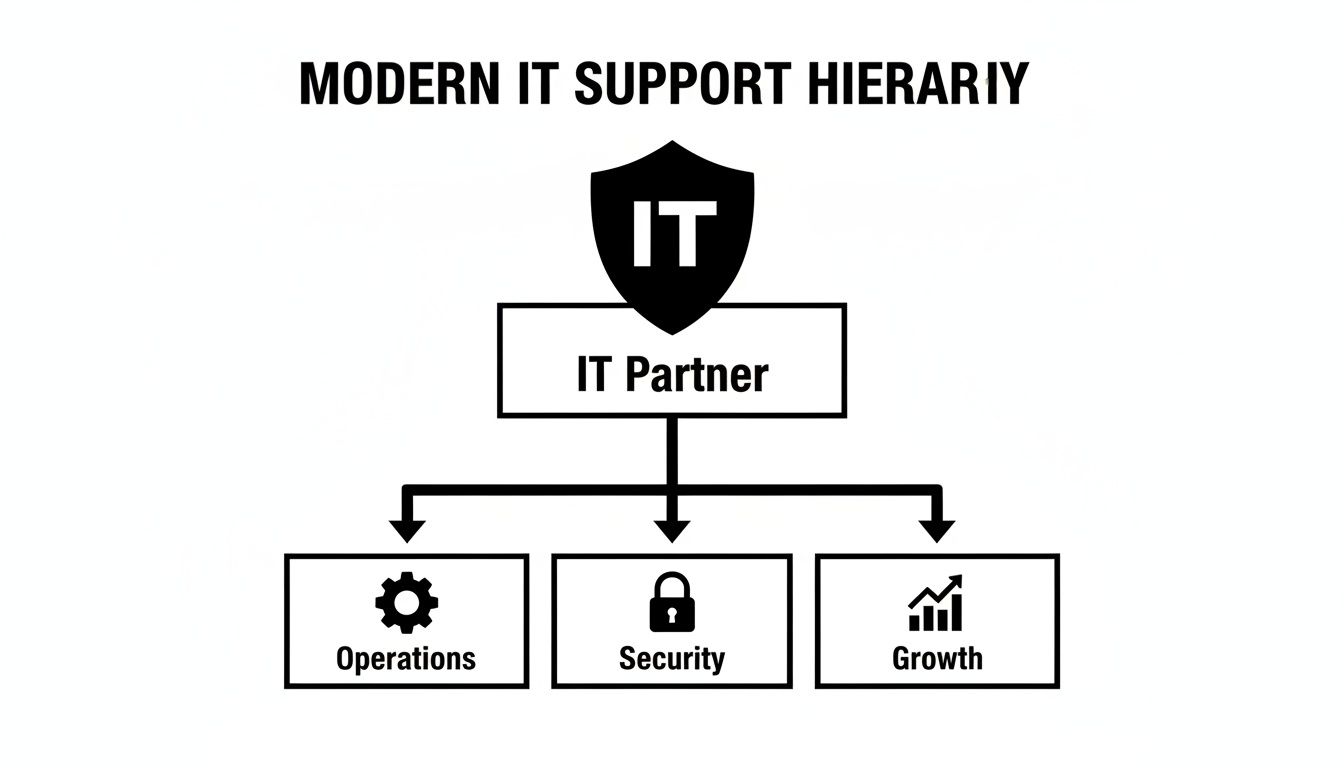
This structure moves beyond reactive fixes to address the fundamentals that make a company resilient and successful.
Managed Infrastructure
At its core, managed infrastructure is about reliability. It involves the proactive maintenance of your essential hardware and networks—the servers, computers, and routers that form the backbone of your daily operations. The primary goal is to prevent the downtime that halts productivity.
An IT partner ensures these systems are patched, updated, and performing optimally. This constant oversight catches small issues, like a failing hard drive or network congestion, before they escalate into major outages that cost time and money. You can learn more about the specifics of managed infrastructure and its role as a foundational service.
Cloud Services
Cloud services act as a safety net, ensuring your data is accessible, secure, and resilient. This includes everything from migrating your servers to a secure data center to implementing robust backup and disaster recovery plans.
If your office experiences a fire, flood, or prolonged power outage, a proper cloud strategy allows your team to continue working from any location with an internet connection. This is critical for business continuity, providing assurance that your operations will not cease due to an unexpected event.
Microsoft 365 and SharePoint Optimization
Most businesses use Microsoft 365, but few leverage its full potential. When configured correctly, tools like Teams, Outlook, and SharePoint can be transformed from basic applications into powerful engines for collaboration and workflow automation.
This solves the business problem of inefficiency. A specialist can configure SharePoint to manage documents securely, automate routine approval processes, and create a central hub for team projects. This reduces time wasted searching for files and clarifies communication, which directly improves team output.
Proactive Cybersecurity
Cybersecurity is no longer optional; it is a fundamental cost of doing business. Proactive cybersecurity acts as a shield against a constant barrage of digital threats, from ransomware attacks to phishing scams designed to deceive employees.
This involves more than just antivirus software. It is a layered defense that includes firewalls, endpoint protection, continuous threat monitoring, and, crucially, regular security training for your team.
The objective of a strong security posture is not just to react to an attack but to make your business such a difficult target that criminals move on. Protecting your data is non-negotiable for maintaining client trust and your company’s reputation.
To establish a solid defense, it is worthwhile to review practical cybersecurity steps for small businesses. These foundational measures are a critical starting point.
Virtual CIO Services
A Virtual Chief Information Officer (vCIO) provides executive-level technology strategy without the cost of a full-time executive. This service ensures your technology investments are directly aligned with your long-term business goals.
A vCIO helps you address critical questions:
- When is the right time to upgrade our server infrastructure?
- How should we budget for technology over the next 3 years?
- Is there new software that could improve our operational efficiency?
This strategic oversight helps you avoid costly missteps and build a technology roadmap that supports your vision for growth, turning IT from a cost center into a strategic asset.
Adapting IT Support for Regulated Industries
For most businesses, a technology issue is a frustrating inconvenience. But in regulated industries like law, healthcare, or finance, an IT failure can be a catastrophe. In these sectors, IT support is not just about operational uptime—it is a critical component of risk management and compliance.

A data breach or critical system failure can lead to severe legal penalties, significant financial losses, and a complete breakdown of client trust. Generic, one-size-fits-all IT solutions are inadequate where the stakes are this high.
An IT partner with deep industry experience understands that your entire technology strategy must be built around compliance. They go beyond basic support to implement the specific controls, policies, and documentation required to pass audits and keep sensitive data secure.
Specialized Support for Law Firms
In the legal field, client confidentiality is paramount, making secure document management non-negotiable. An effective IT partner helps law firms manage vast amounts of sensitive information—case files, contracts, discovery documents—ensuring everything is protected and accessible only to authorized personnel.
Key IT functions for a modern legal practice include:
- Secure Document Management: Implementing systems like a properly configured SharePoint environment to control access, track changes, and prevent data leakage.
- E-discovery Preparedness: Ensuring you can collect, preserve, and produce digital evidence efficiently and in a manner that is defensible in court.
- Mobile Device Security: Protecting client communications and case files on the laptops and smartphones used by legal professionals outside the office.
A misstep in any of these areas could breach solicitor-client privilege, leading to serious ethical and legal consequences.
Healthcare and Patient Data Protection
For healthcare providers, the primary concern is protecting patient health information (PHI). Compliance is a strict legal requirement with substantial penalties for violations. An experienced IT provider helps clinics build a secure technology environment from the ground up.
This includes implementing essential technical safeguards such as:
- Access Controls: Restricting who can view patient records to a strict "need-to-know" basis.
- Data Encryption: Encrypting PHI so it is unreadable, both at rest on a server and in transit over a network.
- Audit Trails: Maintaining detailed logs of who accessed patient data, what actions were taken, and when.
These are not just features; they are the foundation of a resilient and compliant healthcare operation.
For regulated businesses, the cost of non-compliance almost always exceeds the cost of proper IT investment. Proactive, specialized support is not an expense but a critical safeguard against operational, financial, and reputational ruin.
Financial Services and Data Integrity
Financial firms operate under intense regulatory scrutiny. Regulators focus on securing sensitive client financial data, ensuring transaction integrity, and maintaining meticulous records for audits. A single data breach can result in staggering fines and a total loss of client confidence.
An IT partner for a financial services firm must deliver robust solutions for data encryption, secure network design, and disaster recovery planning. They also assist in generating the compliance reports needed to satisfy auditors, turning a complex requirement into a manageable business process.
The need for specialized support is widespread. For example, 61% of managed service provider clients nationally come from sectors with high compliance or operational demands. Professional services firms, like legal and finance, also rely heavily on IT partners for advanced cybersecurity. For these clients, bundled security with proactive monitoring and rapid incident response is non-negotiable. You can read more about these industry trends and statistics on infrascale.com.
How to Choose the Right IT Support Partner
Selecting an IT provider is a critical business decision. The right partner provides a competitive edge through improved efficiency and security, while the wrong one leads to expensive downtime and operational friction. Your choice directly impacts your operational stability, risk exposure, and capacity for growth.
To make an informed decision, you need a clear framework for evaluating potential partners. This involves asking the right business-focused questions to find a provider who is invested in your success.

Evaluate Their Industry Experience
First, verify that they have demonstrable experience in your industry. This is especially critical if you operate in a regulated field like law, healthcare, or finance. A generalist IT provider may understand technology but will likely lack knowledge of the specific compliance, security, and workflow requirements you face daily.
Request case studies or references from businesses similar to yours. A partner with experience in your sector will understand your operational challenges and have proven solutions for common issues.
Analyze Their Support Model
Is their approach proactive or reactive? This is one of the most important questions to ask. A reactive "break-fix" provider is paid only when your technology fails. Their business model is fundamentally misaligned with your goal of maintaining uptime.
You need a partner with a proactive support model. They should use monitoring tools to identify and resolve issues before they disrupt your business. Their primary objective is to keep you operational, not to profit from emergency fixes. This proactive mindset is the foundation of a productive partnership.
A partner’s value is measured by the problems you never experience. Their focus should be on prevention, not just reaction, ensuring that your technology consistently supports your business instead of hindering it.
Scrutinize the Service Level Agreement
The Service Level Agreement (SLA) is the contract that defines the provider's commitments in clear, measurable terms. Do not just glance at it—read it carefully.
Look for specific, guaranteed metrics:
- Response Time: How quickly will they acknowledge your support ticket?
- Resolution Time: What is their target for resolving the issue?
- Uptime Guarantee: Do they promise a certain percentage of availability, such as 99.9%?
- Business Hours: Does their standard support align with your working hours?
An SLA with vague promises and no firm numbers is a significant red flag. It provides no recourse if service is slow or unavailable when you need it.
Look for Strategic Guidance
A top-tier partner does more than fix what is broken; they offer strategic direction. They should provide services that help you plan for the future and make intelligent technology investments.
The right provider will help you build a technology roadmap that aligns with your business goals. For a better understanding of this service, you can read more about the benefits of fractional CIO services for business growth. This forward-thinking advice is what distinguishes a vendor from a true strategic partner.
Use this checklist to organize your evaluation and compare providers side-by-side.
IT Support Partner Evaluation Checklist
| Evaluation Criteria | What to Look For | Red Flags to Avoid |
|---|---|---|
| Industry Experience | Verifiable case studies and references in your sector (e.g., law, healthcare). | Generic, one-size-fits-all approach with no industry-specific knowledge. |
| Support Model | Proactive monitoring and preventative maintenance to maximize uptime. | Reactive "break-fix" model where they profit from your problems. |
| Service Level Agreement (SLA) | Clear, measurable metrics for response time, resolution time, and uptime. | Vague promises, no guaranteed timelines, or confusing language. |
| Strategic Guidance | Offers vCIO services and helps build a technology roadmap aligned with your goals. | Focuses only on day-to-day fixes with no long-term planning. |
| Communication & Transparency | Explains technical concepts in plain business terms; provides clear, all-inclusive pricing. | Hides behind technical jargon; complex pricing with hidden fees. |
| Onboarding Process | A structured, documented plan to ensure a smooth transition to their service. | No clear onboarding process, suggesting a disorganized approach. |
| Sales Approach | Acts as a trusted advisor focused on understanding your needs. | High-pressure sales tactics and pushy communication. |
Using a structured checklist ensures you make a decision based on facts and strategic alignment, not just a sales pitch.
Demystifying IT Support Pricing and SLAs
Understanding the financial components of IT support is crucial for making a sound investment. As you evaluate partners, you will encounter various pricing structures and the Service Level Agreement (SLA). These two elements—cost and commitment—define the value you receive and directly impact your budget and operational stability.
A transparent pricing model paired with a robust SLA eliminates surprise costs and demonstrates that your IT partner is focused on keeping your business running smoothly and securely.
Common Pricing Models Explained
Providers typically bill for small business IT support in a few different ways, each establishing a different type of relationship.
- Per-Device Pricing: Simple on the surface, this model charges a set fee for every computer, server, or network device managed. It can become costly as your business acquires more hardware.
- Per-User Pricing: This is often the most effective model. You pay a predictable monthly fee for each team member, which typically covers all their devices (desktop, laptop, mobile). It simplifies budgeting and scales easily as your team changes.
- A La Carte or Tiered Plans: Some firms offer different service packages (e.g., bronze, silver, gold). While this may appear flexible, it can lead to coverage gaps or extra charges for services you assumed were standard.
A predictable, all-inclusive fixed-fee model, like per-user pricing, is generally best for budgeting. It aligns the provider's interests with yours—they are profitable when your systems are stable, not when they fail.
Your IT support agreement should be an investment in uptime, not an insurance policy for downtime. A fixed-fee model ensures your partner is motivated by prevention, actively working to stop problems before they can impact your operations.
Understanding the Service Level Agreement
The Service Level Agreement (SLA) is the most critical document in your partnership. It translates a sales pitch into a binding contract with clear, measurable terms. A vague or missing SLA is a significant warning sign.
When reviewing an SLA, focus on these key components:
- Guaranteed Response Time: This defines how quickly they must acknowledge your support request. Look for specific times, such as 15 minutes for critical issues.
- Guaranteed Resolution Time: This is the target for fixing the problem, often tiered based on issue severity.
- Uptime Guarantee: For critical systems like servers and networks, the SLA should promise a specific percentage of availability, such as 99.9% uptime.
- Scope of Services: The document must clearly define what is and is not covered under the fixed monthly fee to prevent future disputes.
A strong SLA creates accountability and provides a clear metric for measuring performance. It helps you judge value based on guaranteed service, not just the monthly price.
Your Roadmap to Better IT Management
This guide has outlined how strategic small business IT support drives growth, security, and stability. The next step is to take action.
Begin with an honest assessment of your current challenges and future goals. What IT frustrations consistently slow down your team? Where do you envision your company in three to five years, and what technology is needed to support that vision? Answering these questions prepares you for a business-focused conversation with a potential IT partner.
From Learning to Doing
With this self-assessment, you can move from learning about IT support to actively improving it. The next step is to engage with experts who can translate your business needs into a clear, actionable technology plan. This is how you transform IT from a recurring problem into a strategic asset that enhances efficiency and protects your bottom line.
The urgency is clear. A 2025 Verizon survey revealed that 47% of U.S. SMBs upgraded their cybersecurity in response to rising threats, while 38% are already using AI for data analysis.
For businesses in regulated fields like law and healthcare, this signals a need for integrated security and modern tools like Microsoft 365 to remain competitive and compliant. You can discover more insights from the Verizon small business survey here.
What to Do Next
We recommend a straightforward approach: book a professional consultation to discuss your specific operational needs and learn how a tailored IT roadmap can help you achieve your goals.
An initial conversation should focus on your business, not just your technology. It is an opportunity to determine if a provider understands your vision and can act as a true partner in your growth.
We encourage you to schedule a consultation to begin this important process.
Common Questions About IT Support
Business owners often have similar questions when considering a new IT support partner. Here are straightforward answers to help clarify common concerns.
My Business Is Small. Do I Really Need a Dedicated IT Partner?
Yes. In fact, small businesses are often the most vulnerable to technology disruptions. Your entire operation likely depends on technology. A single server failure or data breach can halt business, costing money and damaging client trust.
A dedicated small business IT support partner is about prevention, not just repair. For a predictable monthly fee, you get proactive management that keeps your business productive and secure. This is a far wiser investment than waiting for a disaster and paying a large, unexpected bill for cleanup.
What's the Difference Between Managed IT and Break-Fix Services?
The difference lies in alignment. A break-fix provider is reactive. You call them when something is broken, they fix it, and you receive a bill. In this model, they profit from your technology failures and downtime.
Managed IT support is a proactive partnership. You pay a flat monthly fee, and in return, your provider’s goal is to prevent issues through continuous monitoring, maintenance, and security.
With a managed services model, your provider’s success is directly tied to your stability. They are financially motivated to keep your systems running smoothly, which is a game-changer for the relationship.
How Long Does It Take to Onboard with a New IT Provider?
A smooth, thorough onboarding process typically takes a few weeks. A provider promising to complete it in a day or two is likely cutting corners, which can lead to problems later.
A professional onboarding process is methodical and designed to minimize disruption to your business:
- Discovery: The provider begins by understanding your current setup, critical business processes, and any specific compliance or security requirements.
- Tool Deployment: They install their monitoring and management agents on your systems to gain the necessary visibility for proactive support.
- Documentation: They document your entire IT environment. This critical step ensures any member of their team can provide fast, effective support when needed.
A quality partner will manage this transition with a clear timeline and consistent communication, ensuring an organized switch that allows your team to continue working without interruption.
At Tricord I.T Solutions, we provide the strategic guidance and proactive support needed to turn your technology into a reliable asset. If you are ready to build a more secure and efficient operational foundation, we are here to help.